 Zansay
Zansay AlphaFree
Speak naturally. Zansay writes it cleanly.
Hold a key, speak, and Zansay turns your voice into clean text wherever you're typing: Mail, Slack, Notes, your editor. Fast, private and built for Mac.
How it works
Press. Speak. Done.
You talk the way you actually talk: pauses, fillers, second thoughts. Zansay transcribes on your Mac, tidies the words, and pastes the finished text at your cursor.
Hey Sarah, just wanted to follow up on the proposal we discussed yesterday. I think we should move ahead with the second option.
What was actually said: "hey sarah um just wanted to follow up on the proposal we spoke about yesterday I think we should probably go with the second option"
Press
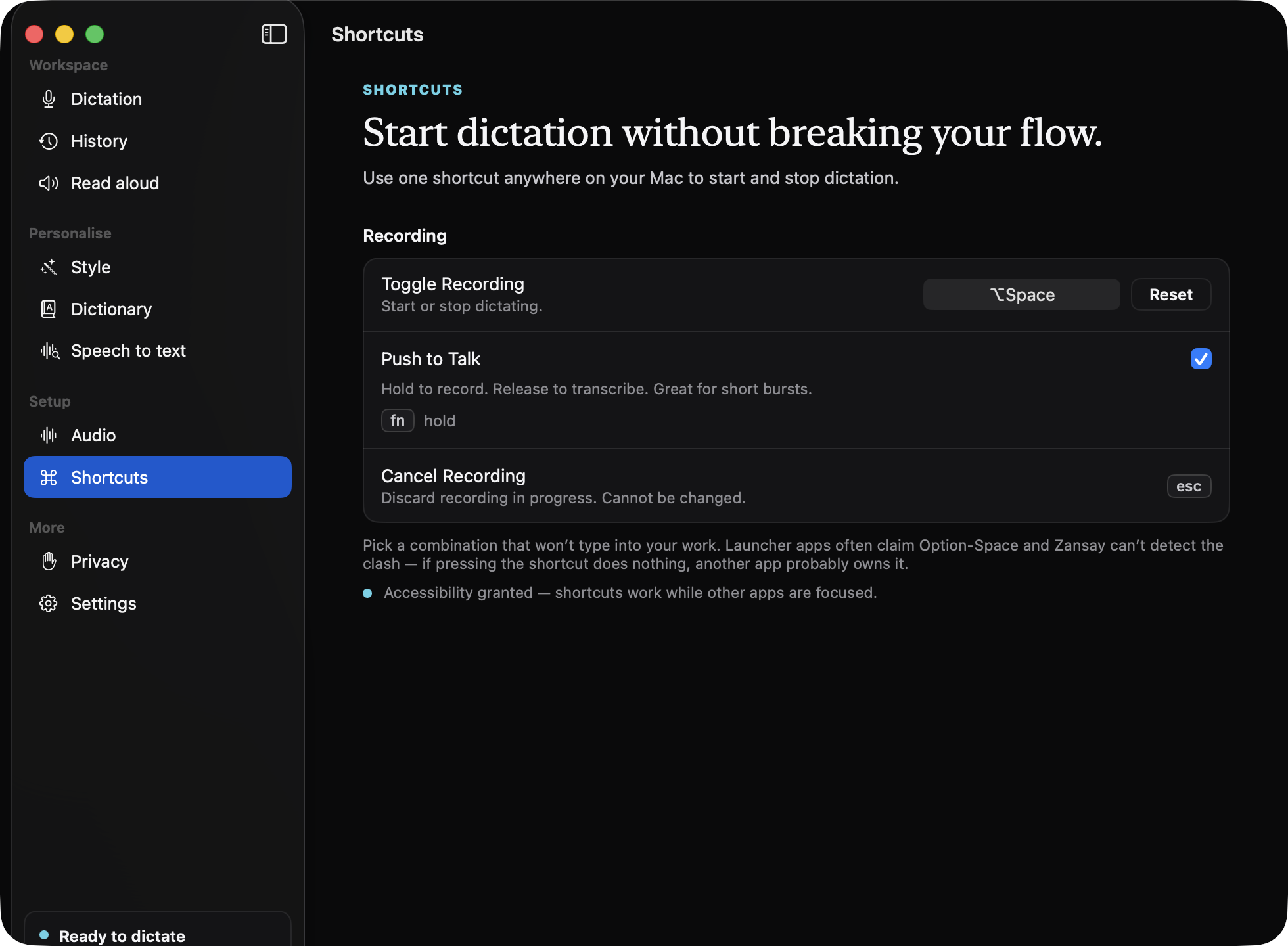
Hold fn in any app, or toggle with ⌥Space for longer passages. A small capsule shows Zansay is listening.
Speak
Talk naturally. Don't perform for the microphone; the ums, repeats and "probably"s are Zansay's problem, not yours.
Done
Release the key. Recognition, cleanup and your vocabulary run in well under a second¹, and the finished text lands at your cursor.
What it does
Typing, by speaking.
Dictate anywhere
The text lands where you're already working.
Zansay isn't a window you dictate into and copy from. One shortcut works across your Mac, and the result is pasted at your cursor, in Mail, Messages, Notes, Slack, browsers, documents and coding tools.
- Push-to-talk or toggle, both configurable; esc cancels cleanly
- Works over full-screen apps and across Spaces
- Where pasting isn't possible, the text is on your clipboard and the app says so
Speak naturally
You don't have to talk like a robot.
Say it the way you'd say it to a person. Fillers, false starts and thinking-out-loud get cleaned away; spoken punctuation like "comma" and "new line" is understood; numbers, dates and currency come out written properly.
- Filler words and repetitions removed before the text lands
- Punctuation and capitalisation handled for you
- "Twenty three pounds fifty" arrives as £23.50
"so um the quarterly numbers are looking you know really strong we should uh share them with the team on friday"
The quarterly numbers are looking really strong. We should share them with the team on Friday.
Clean up what you said
Choose how finished your words should feel.
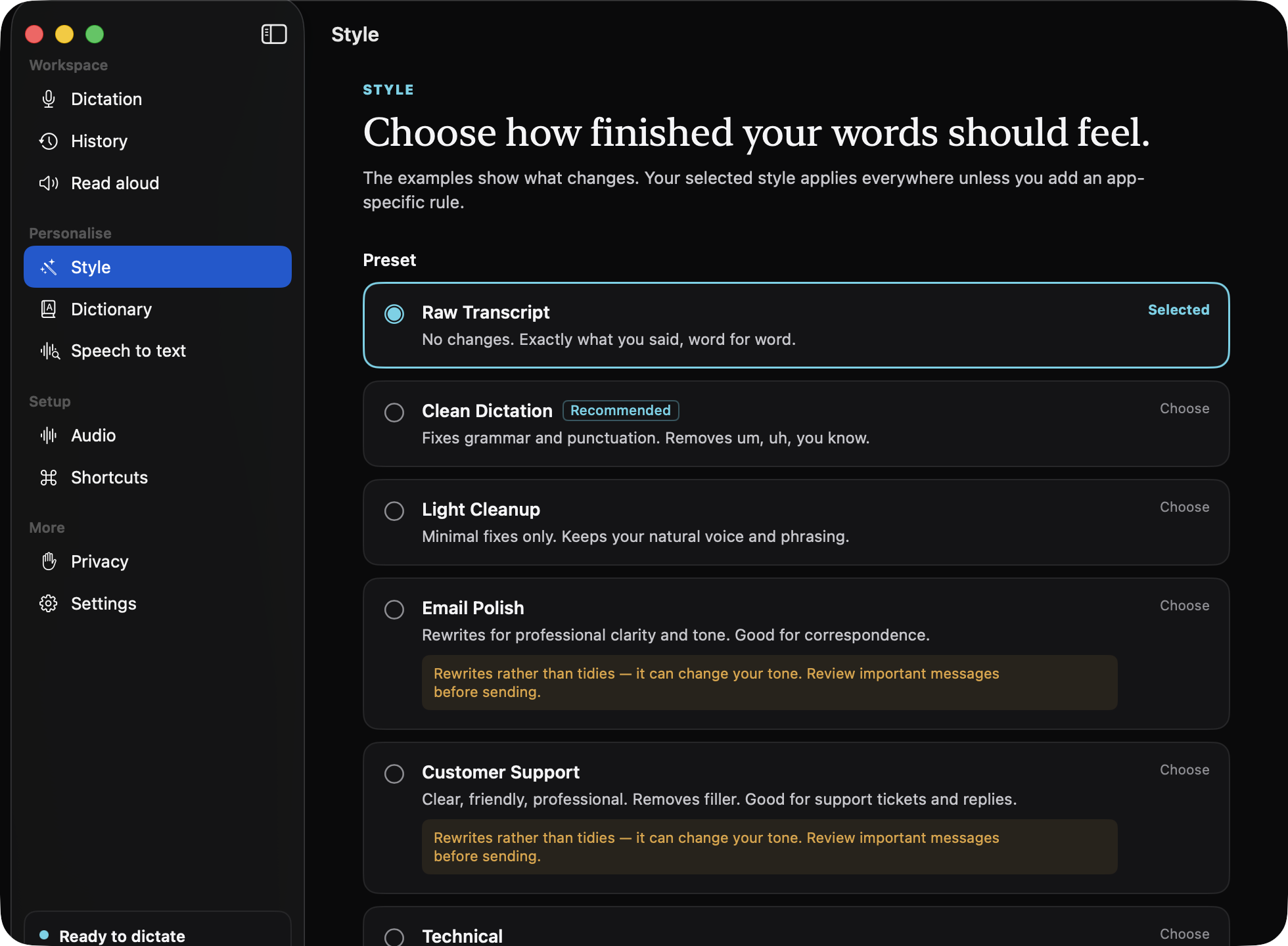
Raw transcript, word for word. Clean dictation with the thinking noises gone. Or a full polish for email and support replies. Styles apply everywhere, with per-app overrides when Slack should sound different from your editor.
Where a style rewrites rather than tidies, the app says so, in place, so you always know what a preset will do to your tone.
- Cleanup edits your words; it is built to never answer them
- Runs on your Mac by default; a cloud provider is an explicit choice
Learns the words you use
Your names, your products, your jargon.
Add colleagues, product names and terminology once and the recognition engines are primed with them. Fix a word right after a paste and Zansay proposes the correction as a rule, for your review. A separate auto-repair list fixes brand names that land one letter off.
All of this learning lives in local files you can inspect. Your vocabulary is not uploaded anywhere.
The app behind the shortcut
A quiet workspace, when you want one.
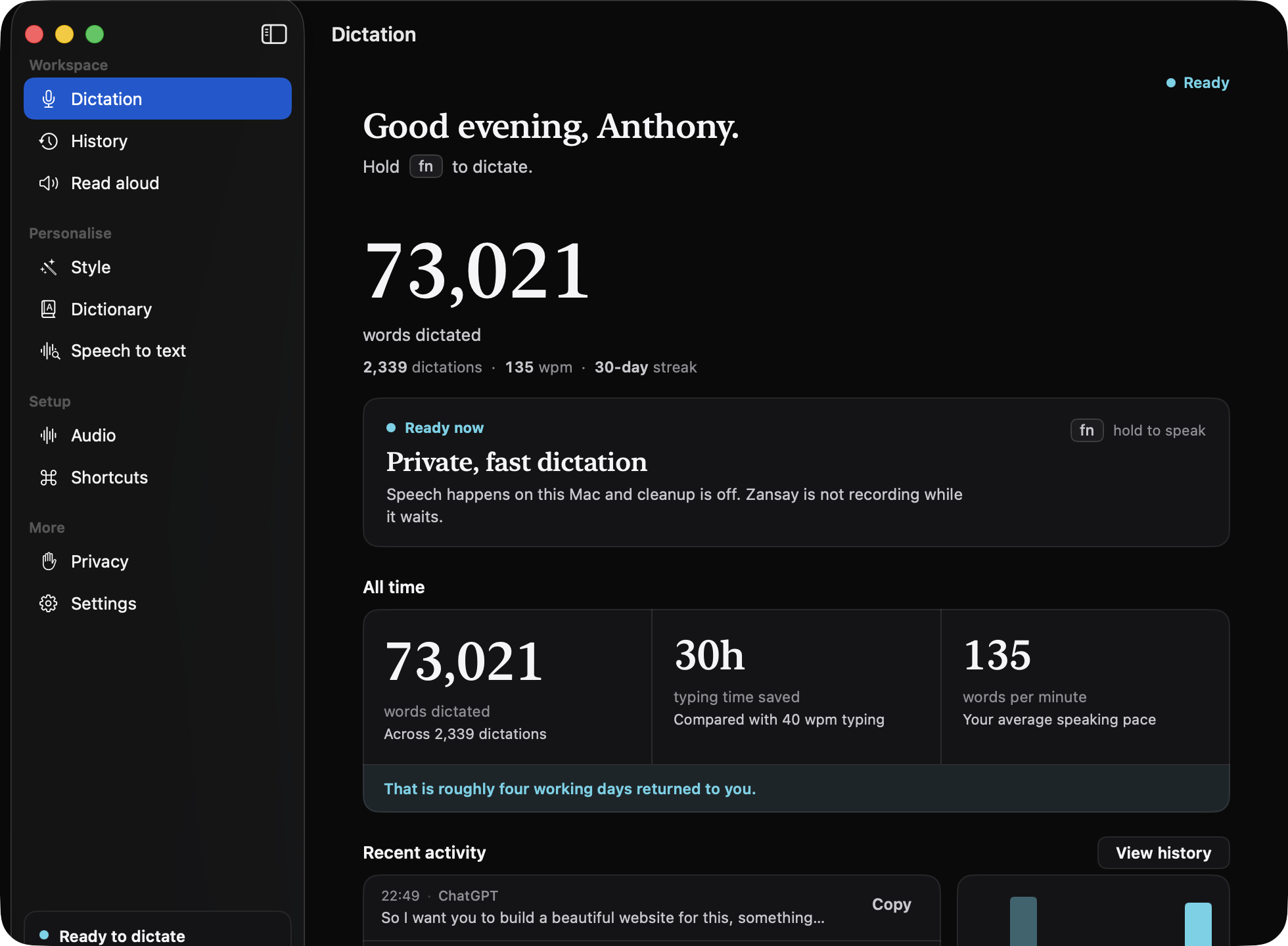
Most days Zansay is just a key you hold. When you open the window, everything is there: your dictation stats, styles, dictionary, history and a plain-English readout of where your words go.
Privacy
Keep it local. Or choose otherwise.
Zansay's default speech engines run on your Mac. Cloud services exist as options (clearly labelled, on your own API keys), and the app always tells you which you're using.
-
On-device transcription is the defaultA fresh install recognises your speech with models running on your Mac's own silicon. It works with the network cable unplugged.
-
Cloud is optional, and yoursIf you connect a cloud engine, it's labelled in plain words, runs on an API key you supply (stored in the macOS Keychain, device-only), and the app warns you before you switch.
-
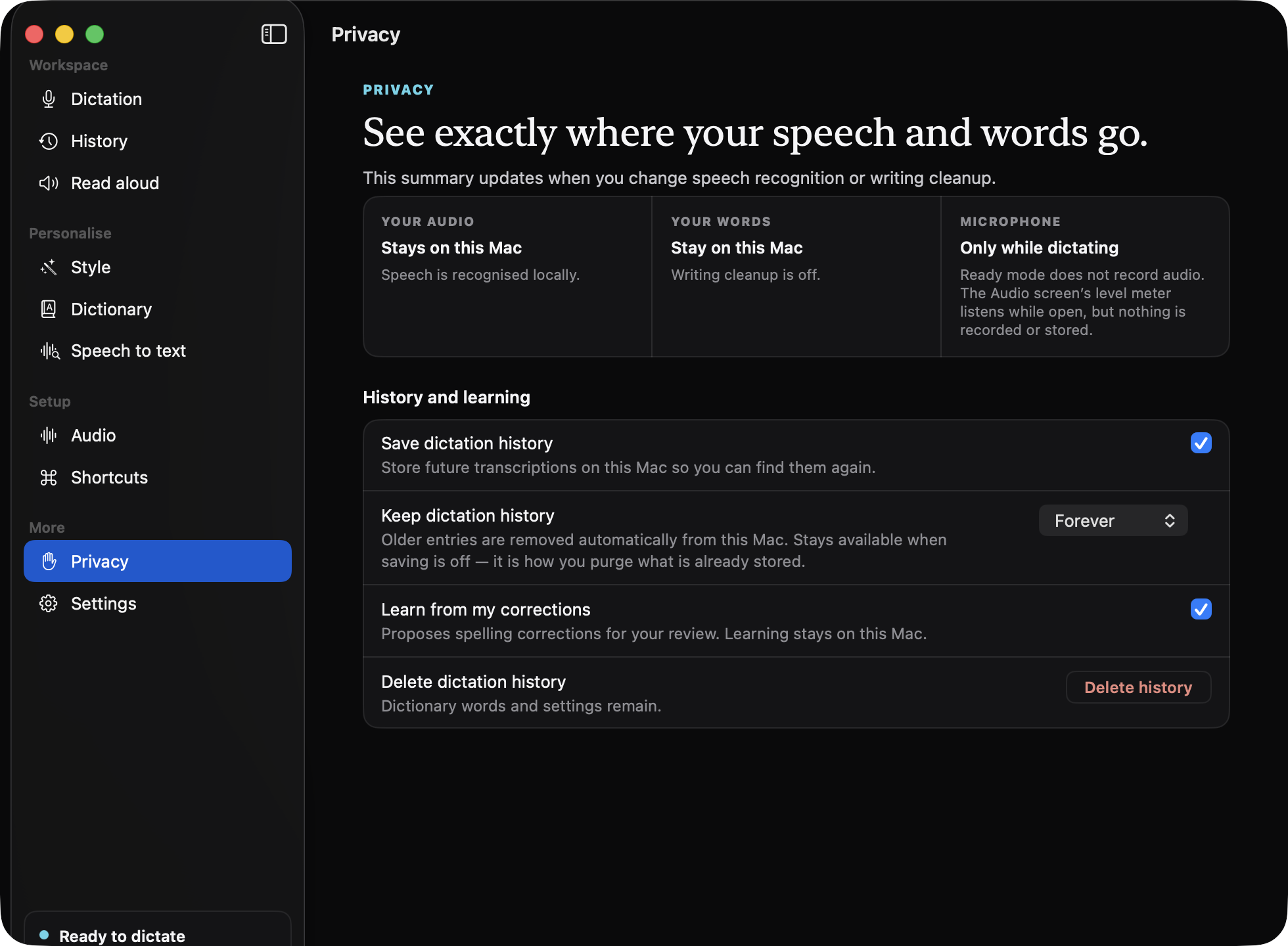
The Privacy screen tells the truthEvery privacy sentence in the app is derived from your actual configuration, not written once and hoped true. It states exactly where your audio and text go, right now.
-
Your history is a local fileDictations are stored on your Mac with owner-only file permissions. Search, export, set retention or delete, all in the app, no server copy.
-
No account, no telemetryZansay runs no analytics or crash reporting, and there is nothing to sign up for. The microphone is live only while you're dictating, and secure password fields are never pasted into.
Also in the box
The details that make it daily-driver software.
Your workflow, your way
Per-app writing styles keep chat casual and correspondence polished. Shortcuts are configurable, and the recording capsule can be repositioned or hidden entirely.
History that has your back
Every dictation is kept, searchable, in your local history, with which app it went to. A failed transcription is never lost: the audio is preserved and retryable.
Choose your engine
Two on-device engines ship by default: one tuned for speed, one for language coverage. Cloud engines can be connected with your own API key when you want them.
Read aloud
Paste a draft or an article and Zansay reads it back with an on-device neural voice, system voices, or a cloud voice on your own key. Export any reading as an mp3.
Under the hood
For the people who read this section first.
- Speech recognition
- Two on-device engines: NVIDIA's Parakeet (CoreML, running on the Apple Neural Engine) for the fastest response, and OpenAI's Whisper (via whisper.cpp, on the GPU) for broader language coverage. Optional cloud engines can be connected with your own API keys.
- Measured speed
- Roughly 0.6 s median from key-release to pasted text with the default on-device engine on an M-series MacBook Pro¹, including cleanup and vocabulary passes.
- Text cleanup
- Deterministic passes (numbers, currency, punctuation, repetition, your vocabulary) always run on-device. Style cleanup runs on Apple's on-device model (macOS 26), a local model, or an optional cloud provider you choose.
- Model integrity
- Voice models download once, are pinned to immutable upstream releases, and are SHA-256-verified before use. A failed check is rejected, not shrugged off.
- Storage
- History, vocabulary and learned corrections are local files under
~/Library/Application Support/Zansay/with owner-only permissions. Retention and deletion are controlled in the app. - Distribution
- Signed and notarized with a Developer ID. Updates are delivered through the app's built-in updater over a cryptographically signed feed. No account, no telemetry, no analytics.
The price
Zansay Alpha is free.
The original Zansay experience (every engine, style and feature) is free to download and use. No subscription. No trial countdown. Alpha will remain free.
Zansay started as a tool we wanted to use ourselves. Alpha is that original version, and we're keeping it free.
Questions worth asking first.
What exactly is Zansay?
A voice dictation app for Mac. It lives in your menu bar; you hold a shortcut, speak naturally, and it types clean text into whatever app is focused: your email, chat, notes, browser or editor. It also reads text aloud. Speech recognition runs on your Mac by default.
Is Zansay Alpha really free?
Yes. Zansay Alpha is the free Zansay product: not a trial, not a promotion, and not free-until-we-change-our-minds. It keeps receiving updates while remaining Alpha, and Alpha will remain free.
Is there a subscription?
No. Zansay Alpha has no subscription, no tiers and no account. Download it and use it.
Why is it called Alpha?
Alpha is the name of the free Zansay product line, the original Zansay. It's a product name, not a warning label: the app is signed, notarized, kept up to date, and used daily by the person who builds it.
Which Macs and macOS versions are supported?
Apple Silicon Macs (M1 or later) running macOS 14 or later. There is no Intel build. Apple's on-device cleanup model additionally requires macOS 26; the other cleanup options work from macOS 14.
Does it work in other apps?
Yes, that's the point. Zansay pastes the finished text at your cursor in the app you're already using: Mail, Messages, Notes, Slack, browsers, documents, coding tools. It works anywhere macOS lets an app insert text at the cursor, which is almost everywhere. Where pasting isn't possible, the text is on your clipboard and the app says so. Secure password fields are detected and deliberately never typed into.
Does my voice leave my Mac?
Not by default. Audio is recorded only while you're dictating and is transcribed by a model running on your Mac. If you opt into a cloud engine (for speech, cleanup or read-aloud), the relevant content is sent to that provider under your own API key, and the app's Privacy screen states this in plain words whenever it's true.
Does it need an internet connection?
Only for three things: downloading the app, fetching your chosen voice model on first use, and checking for updates. Dictation itself (recognition, cleanup passes, history, the on-device read-aloud voice) works entirely offline with the default engines.
Which languages are supported?
The language picker offers English, Spanish, French, German, Italian, Portuguese, Dutch, Yoruba, Arabic, Hindi, Chinese, Japanese and Korean, plus auto-detect. The fast on-device engine covers English and major European languages; the Whisper engine covers the full list. The app tells you if a chosen combination isn't supported rather than guessing.
What speech recognition models does it use?
On-device: NVIDIA's Parakeet family running as CoreML models on the Apple Neural Engine (the default), and OpenAI's Whisper running through whisper.cpp on the GPU. Model downloads are SHA-256-verified against pinned upstream releases. Optional cloud engines from providers such as OpenAI, Groq, Deepgram and ElevenLabs can be connected with your own API keys.
How is this different from the built-in macOS dictation?
macOS dictation types raw words. Zansay is built around what happens after recognition: filler removal, punctuation, number formatting, your own vocabulary and correction rules, per-app writing styles, so what lands is ready to send, not ready to edit. It also keeps a searchable history, never loses a failed dictation, and reads text back to you.
Why does it need Accessibility permission?
Accessibility is what lets Zansay paste text into other apps at your cursor. Without it, Zansay still works: transcriptions are copied to the clipboard and the app says so. It also uses this permission to detect password fields, so it never types into one.
Does Zansay support Windows?
Not yet. Zansay Alpha is built for Mac; a good Windows version would be its own substantial piece of native work, so we're not promising one.
How do updates and support work?
Updates are checked for and installed from inside the app, over a signed update feed; your settings, history and dictionary carry straight over. For support, email hello@zansay.com and you'll be talking to the person who builds it.
Download
Get Zansay Alpha.
Free. No subscription, no account, no trial countdown.
- Open the download and drag Zansay to Applications. The app is signed and notarized, so macOS verifies it and it opens normally.
- Run the short setup. It asks for Microphone, and for Accessibility so Zansay can paste at your cursor. Every step is skippable.
- Hold fn and talk. Your chosen voice model downloads once, is checksum-verified, and then lives on your Mac.